


GPS Navigation & Map Direction
4.02.12K Reviews
App Specs
- Version
- 3.8.25
- Updated On
- License
- Free
- Downloads
- 10,000,000+
- Developer
- Sharp Apps Studio
- Categories
- Maps & Navigation
- Platform
- Android
Screenshots

 Analysis by AppCompare
I judge a navigation app less by how much it promises than by whether it helps me make a sensible choice before I’m committed to a turn. GPS Navigation & Map Direction aims to put route finding alongside a few travel utilities, so it may suit someone who wants more than a bare map on their phone. My overall impression is practical rather than flawless: it feels approachable for ordinary trips, but I would still prepare a backup for an important journey instead of treating any single phone app as infallible.
What I’d check before setting off
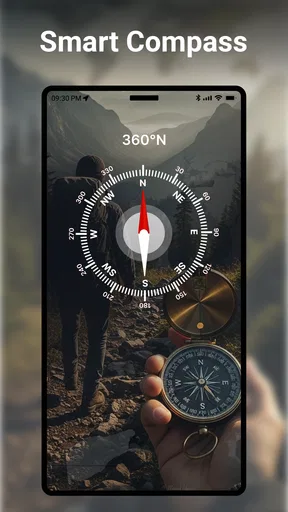
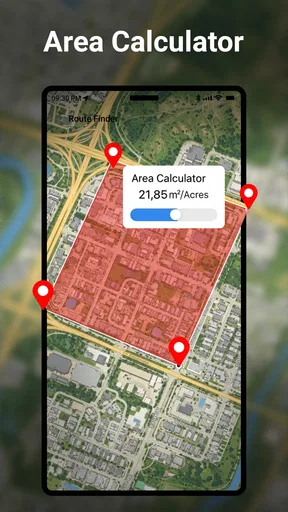
Maps & Navigation apps often compete on quick route planning, live traffic, and how much detail they put on screen. This one is also presented as a GPS navigation app with a route finder, compass, translator, and currency converter. That wider mix is useful for a traveler who wants a few basic tools in one place, but it also means I’d check which parts I actually need rather than assuming every extra is essential to finding a road.
In practical terms, I’d plan the destination while parked, review the route before moving, and avoid changing settings while driving. That sounds obvious, but it matters when a navigation screen is doing several jobs. If I’m heading somewhere unfamiliar, I’d also note a recognizable landmark near the destination. It gives me another way to orient myself if the final address is awkward to locate.
Speed expectations on an ordinary trip
I wouldn’t choose this app on the assumption that every search will be instant. The published experience includes occasional waits when looking up less common destinations, so the sensible approach is to search before leaving rather than entering a complicated place name at the last minute. Common destinations should be easier to handle, while a small business, a rural address, or a newly changed road may take more patience.
That distinction matters more than a general promise of speed. A route app can feel responsive when you’re checking a familiar commute and still take longer when it has to interpret an unusual destination. I’d try the exact address while stationary, confirm that the result is the place I intend to visit, then start navigation. If the result looks vague, searching by a nearby landmark and comparing the map position is a useful second check.
The app is free to download, and Sharp Apps Studio is its developer. It has an average rating of around four stars from about sixty-nine thousand ratings, with more than ten million installs. Those figures suggest it has reached a broad audience, but they can’t tell me whether a particular address or device will behave well, so I’d use my own short test drive to decide if its pace suits me.
When the phone and route are under pressure
Navigation becomes more demanding when I’m crossing an unfamiliar city, switching between a route and a destination search, or trying to interpret a complicated junction in traffic. In those moments, the best use of the app is to do the thinking early: enter the destination before moving, get a broad sense of the route, and let spoken directions handle routine turns while I keep my eyes on the road.
Worth Reading Before You Choose

Flipboard Shows What News Apps Must Do Beyond the Feed

Switching to Android Auto Means Rethinking Your Driving Routine

Google Calendar Makes a Crowded Week Easier to Manage

Ludo King Makes the Most of the Minutes Between Plans

Baby Panda World Brings Quick Play to Modern Phones, but Its Game Library Feels Busy

ESPN’s Live Game View Makes Following Close Games Easier
The additional travel tools may be handy away from the car, too. A compass can help me get my bearings when I step out in an unfamiliar area; a translator or currency converter can be useful during a trip where language or money is part of the problem. I’d treat these as supporting conveniences, not as a reason to rely on the app for every travel task. For a detailed translation or a sensitive financial calculation, a tool designed specifically for that job may be a better fit.
A realistic use case is a weekend drive to a friend’s new home. I’d look up the address at home, check that the map pin sits in the right neighborhood, and start the trip before pulling away. If the final approach involves several similar streets, I’d ask my friend for a nearby landmark as well. That small bit of preparation reduces the chance of trying to solve a search problem while stopped at an inconvenient junction.
Reliability, recovery, and the limits of a phone map
For me, reliability means more than drawing a route. I want the app to make it clear when I should act, and I want a straightforward way to recover if I miss a turn. If the route changes or I lose my place, I’d pull over safely before checking the screen, confirm the destination again, and restart the route if needed. That is a safer habit than tapping through menus while moving, regardless of which navigation app I use.
I would not assume that an app’s presence on my phone guarantees dependable guidance everywhere. Signal conditions, an unfamiliar address, and local road changes can all complicate a journey. For a high-stakes trip, I’d keep the destination written down or saved somewhere else and check the route before leaving. A second navigation option is sensible if arriving on time matters more than keeping everything in one app.
GPS Navigation & Map Direction is rated for Everyone and supports Android 6.0 or later. It is currently at version 3.8.11. Those details make it accessible to many Android users, though an older or heavily loaded phone may still feel less responsive than a newer one. I’d close unnecessary tasks, keep the screen easy to read, and test the app on the device I plan to use rather than judging performance from someone else’s phone.
Who gets the most from its all-in-one approach?
I can see the appeal for someone who wants a straightforward route finder plus a compass and a couple of travel utilities, especially for occasional drives and trips into unfamiliar places. It is less compelling if all I want is the most specialized turn-by-turn navigation experience, or if I need a dedicated tool for translation, money conversion, or detailed travel planning. In those cases, separate apps may offer a more focused workflow.
Compared with the usual alternatives, the trade-off is convenience versus specialization. A familiar, map-first service may be preferable if I already depend on its saved places or broader local information. A dedicated navigation option may suit a driver who prioritizes a particular route-planning workflow. This app’s distinguishing idea is having several travel aids together; whether that is an advantage depends on whether I’ll actually use them.
It is free, but it also offers in-app purchases priced from about eleven dollars to around six hundred dollars per item. I’d review the purchase screen carefully before buying anything and decide whether a paid option addresses a specific need. I wouldn’t spend money just to solve a general concern about speed or reliability without first testing the free experience on my usual routes.
Have you ever been on a road trip, cruising down the highway, when suddenly your GPS decides it's time for a coffee break? If you’ve been there, you know the struggle. That's why I was pretty stoked to give GPS Navigation & Map Direction a spin. It promises to be a reliable companion for all your navigation needs, and after putting it through the wringer, here's what I found.
Getting Started: First Impressions
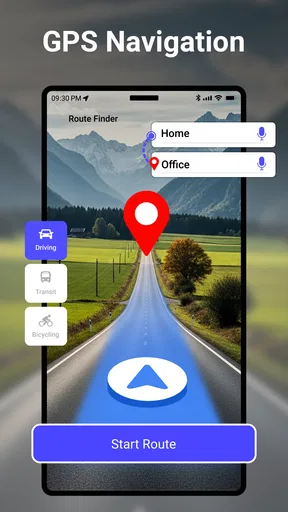
Downloading and installing GPS Navigation & Map Direction was a breeze. Right out of the gate, the interface feels intuitive. I'm not one to read manuals (who is, right?), but thankfully, this app doesn't make you feel like you need one. The main screen offers a search bar, recent searches, and a handy “Home” and “Work” shortcut. Straightforward and to the point—just how I like it.
Features That Stand Out
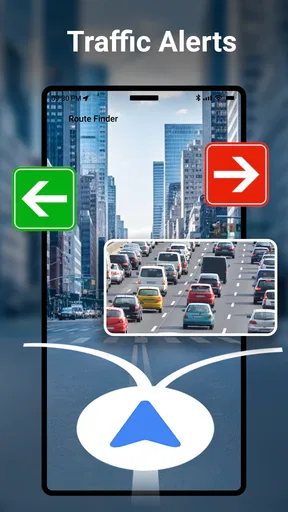
Now, let's talk about some of the goodies packed inside. First off, real-time traffic updates. If you’re like me and hate sitting in bumper-to-bumper traffic, you’ll appreciate how the app reroutes you around congestion. It’s pretty nifty, letting you know how much time you’re saving, which feels like a small win on a busy day.
Another cool feature is the voice-guided navigation. It’s clear, concise, and even cracks a joke every now and then to keep you entertained. Plus, it supports multiple languages, which is a huge plus if English isn’t your first language or you're traveling abroad.
Map Accuracy and User Experience
Accuracy is where this app really shines. The maps are up-to-date, and I didn’t encounter any phantom roads or mysterious dead ends. You can even download maps for offline use, which is a lifesaver when you're out of data or in a no-signal zone. The pinch-to-zoom feature is smooth, and the visuals are crisp, making it easy to find your way around unfamiliar streets.
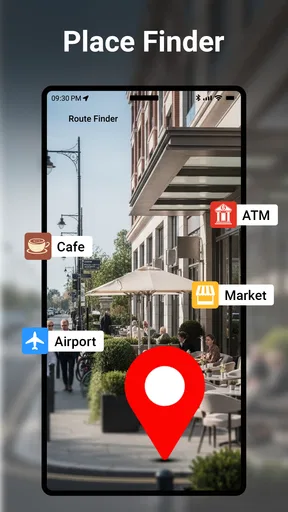
The app also integrates well with other apps. Need to find the nearest Starbucks? It’ll pull up Yelp reviews and hours of operation, all without leaving the app. It’s little touches like this that make the user experience feel seamless.
Customization and Personalization
Customization options are decent, though not overwhelming. You can choose from different map views—like satellite or terrain—and tweak the color schemes to suit your preference. It’s nothing revolutionary, but it adds a personal touch that I appreciate.
One thing I found particularly useful was the ability to save favorite locations. Whether it's your friend’s house on the other side of town or that hidden gem of a restaurant you stumbled upon, saving spots for future reference is super handy.
Potential Hiccups
Alright, not everything is sunshine and rainbows. Occasionally, the app took a bit to load, especially when searching for less common destinations. It wasn’t a deal-breaker, but it’s something to be aware of. Also, while the app is free, it does have ads. They’re not overly intrusive, but if you’re easily annoyed by pop-ups, you might want to consider the premium version.
Final Thoughts: Is It Worth It?
So, after all that, is GPS Navigation & Map Direction worth downloading? In my book, yes. It’s user-friendly, packed with practical features, and does a solid job of getting you from point A to point B without a hitch. Sure, it has a few quirks, but what app doesn’t?
If you’re in the market for a reliable navigation app that won’t leave you high and dry, give this one a try. It just might become your new road trip buddy.
Pros
- Highly accurate real-time navigation.
- Offline maps available for remote areas.
- Customizable route options.
- User-friendly interface design.
- Regular updates with new features.
Cons
- Can drain battery quickly.
- In-app ads can be intrusive.
- Premium features require payment.
- Occasional map loading delays.
- Limited support for rural areas.
FAQs for GPS Navigation & Map Direction
What features does GPS Navigation & Map Direction offer?
GPS Navigation & Map Direction provides real-time navigation, offline maps, turn-by-turn directions, and live traffic updates. Users can also access points of interest, route planning, and voice-guided navigation. The app supports multiple map views, such as satellite and terrain, enhancing the overall navigation experience.
Is an internet connection required for GPS Navigation & Map Direction?
While the app offers offline maps, an initial internet connection is necessary to download the maps for offline use. For features like live traffic updates and real-time navigation, an active internet connection is required to ensure accurate and up-to-date information.
How accurate is the GPS Navigation & Map Direction app?
The app utilizes advanced GPS technology to provide highly accurate navigation and positioning. However, accuracy may vary based on environmental factors such as tall buildings, weather conditions, and signal interference, which can affect GPS signals. Regular updates help maintain the app’s reliability.
What are the advantages of using GPS Navigation & Map Direction over other navigation apps?
This app stands out for its user-friendly interface, extensive offline capabilities, and comprehensive map coverage. It offers detailed route customization and integrates seamlessly with other apps for a holistic travel experience. Regular updates and responsive customer support further enhance its appeal.
Are there any subscription fees for GPS Navigation & Map Direction?
The app offers a free version with basic features. However, premium features such as ad-free experience, advanced route planning, and exclusive map layers may require a subscription. Pricing details are available within the app, and users can choose a plan that best suits their needs.


